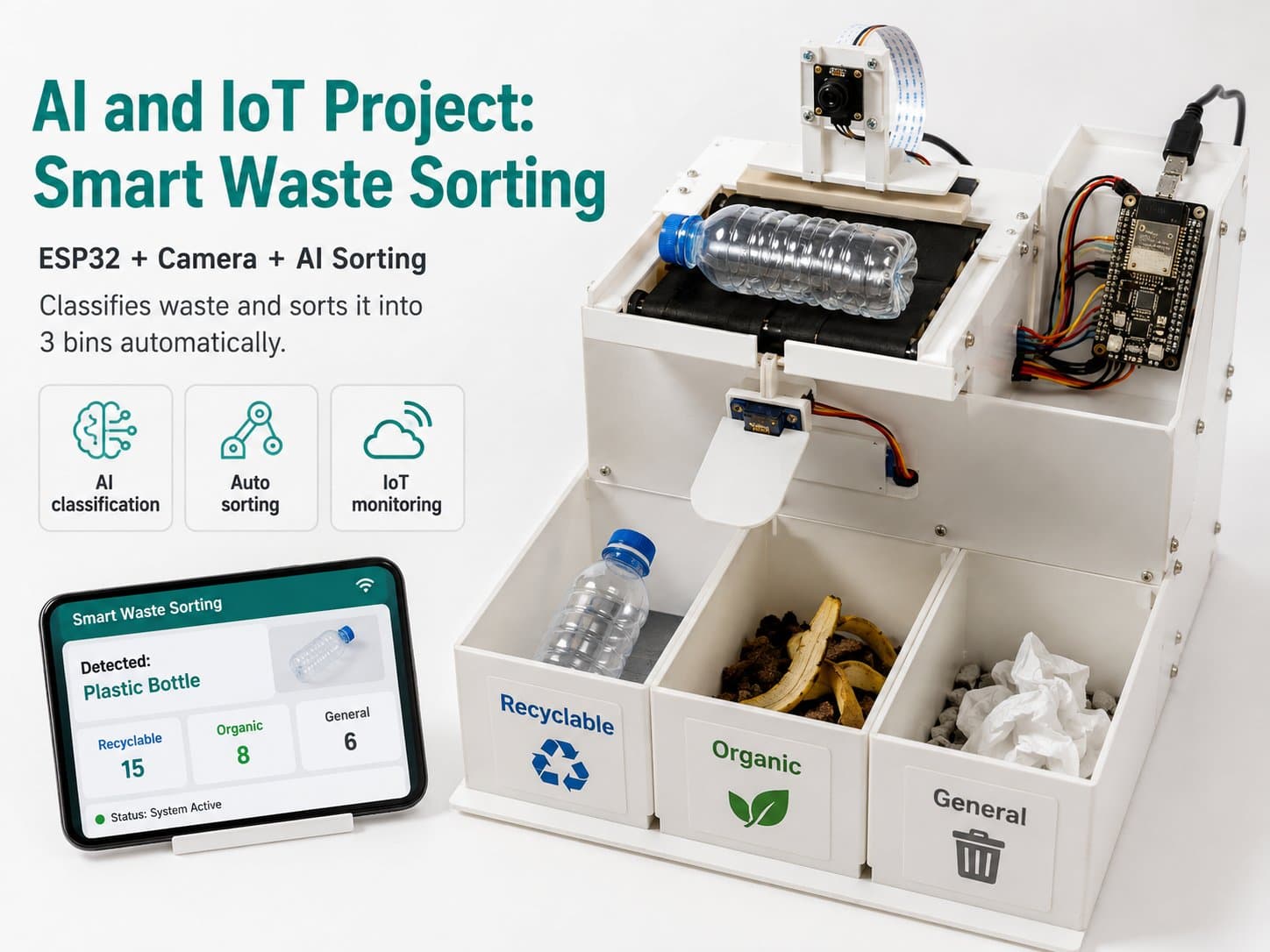
AI and IoT Project: Smart Waste Sorting
Use AI, a Raspberry Pi, and various sensors to build a device that recognizes objects and automatically sorts waste, helping raise environmental awareness.
The "AI and IoT: Smart Waste Sorting" project is a learning prototype that helps learners explore how to combine a Raspberry Pi, a camera, sensors, and an AI model to sort waste at a basic level.
The system is designed to recognize a few common waste categories such as plastic, metal, paper, and an uncertain category. Rather than relying on AI alone, the project adds sensors like a metal sensor, a weight sensor, and a distance sensor to increase the reliability of sorting decisions.
This project suits makers, students, or STEM/AIoT classes. Through it, learners can practice image processing, running an AI model on a Raspberry Pi, controlling a servo, sending data over MQTT, and iteratively improving the system based on real-world data.
Detailed guide
List of extended articles for this project.
Part 1: Project Introduction and Hardware Preparation
1. Project overview; 2. Goals and scope; 3. Required hardware list; 4. Shopping and component selection guide; 5. Introducing the Raspberry Pi and the sensors; 6. Notes on assembling the hardware.
Part 2: Setting Up the Raspberry Pi's Working Environment
1. Installing Raspberry Pi OS; 2. Installing the required Python libraries; 3. Installing OpenCV for image processing; 4. Installing TensorFlow Lite for the AI model; 5. Installing MQTT for IoT connectivity; 6. Verifying the environment.
Part 3: Developing the AI Model for Waste Sorting
1. Introducing AI models you can use; 2. Gathering and preparing data; 3. Creating and training the AI model with TensorFlow; 4. Exporting the model to TensorFlow Lite format; 5. Checking the model's accuracy; 6. Saving the model and preparing it for the Raspberry Pi.
Part 4: Building the Waste Recognition System
1. Connecting the camera to the Raspberry Pi; 2. Writing Python code to capture images; 3. Integrating the AI model into the Raspberry Pi; 4. Setting up the sensors and programming recognition; 5. Combining sensors to increase reliability; 6. Programming the sorting decision.
Part 5: Connecting to IoT and Building the Dashboard
1. Introducing MQTT and its role in the project; 2. Writing code to send data over MQTT; 3. Building a dashboard to track data; 4. Integrating a mislabel-correction and retraining feature; 5. Testing and evaluating the system; 6. How to maintain and improve the system.
Part 6: Optimizing and Improving the System
1. Analyzing the system's operating results; 2. Methods for optimizing the AI model; 3. Tuning sensors to improve accuracy; 4. Using real-world data to improve the model; 5. Conclusion and next steps for the project; 6. Sharing experience and real-world results.