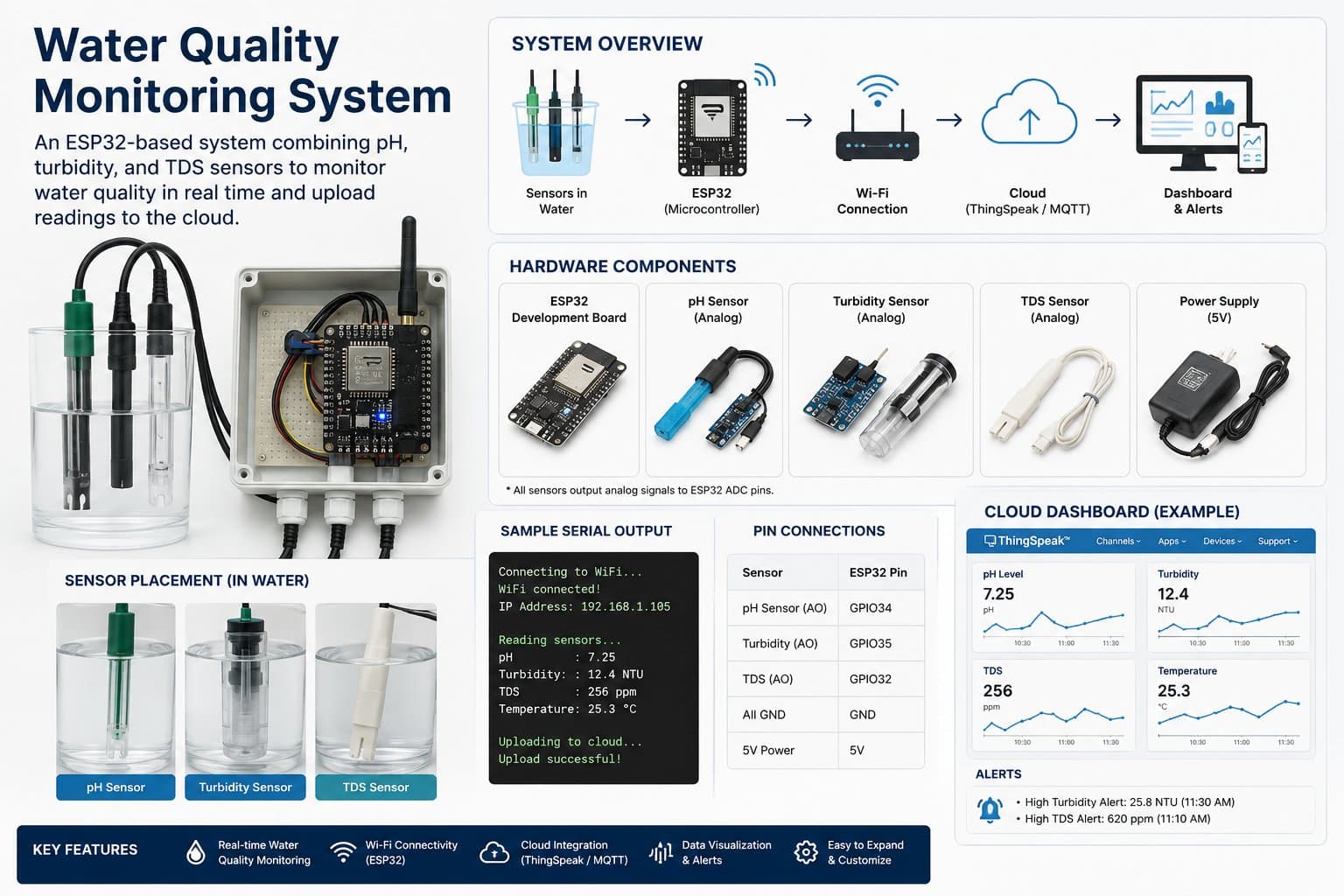
Detailed guide
Part 3: Setting Up the Arduino IDE and Testing Sensors
Guides you through installing the ESP32 board, required libraries, and testing raw ADC/DS18B20 readings before combining the full system.
Updated 31/08/2026
Part 3: Setting Up the Arduino IDE and Testing Sensors
Before writing the complete program, you should test each sensor individually. This helps catch wiring issues, power problems, wrong pins, or a faulty sensor early.
3.1. Installing the ESP32 Board in the Arduino IDE
- Open File > Preferences.
- Add the following URL to Additional Boards Manager URLs:
https://raw.githubusercontent.com/espressif/arduino-esp32/gh-pages/package_esp32_index.json- Go to Tools > Board > Boards Manager.
- Search for
esp32and install the esp32 by Espressif Systems package. - Select the ESP32 Dev Module board.
3.2. Installing Libraries
Install the following libraries in the Library Manager:
OneWireDallasTemperaturePubSubClientfor the MQTT partArduinoJsonfor the MQTT part
3.3. Testing Raw ADC Readings
Upload an ADC test program to see whether the analog signals from the TDS, pH, and turbidity sensors change.
#define PIN_TDS        34
#define PIN_PH         35
#define PIN_TURBIDITY  32

void setup() {
  Serial.begin(115200);
  delay(1000);

  analogReadResolution(12);
  analogSetAttenuation(ADC_11db);

  Serial.println("ESP32 ADC Raw Test");
}

void loop() {
  int rawTds = analogRead(PIN_TDS);
  int rawPh = analogRead(PIN_PH);
  int rawTurbidity = analogRead(PIN_TURBIDITY);

  Serial.print("TDS Raw: ");
  Serial.print(rawTds);

  Serial.print(" | pH Raw: ");
  Serial.print(rawPh);

  Serial.print(" | Turbidity Raw: ");
  Serial.println(rawTurbidity);

  delay(1000);
}
Expected result:
TDS Raw: 1230 | pH Raw: 2045 | Turbidity Raw: 28703.4. Testing the DS18B20
#include <OneWire.h>
#include <DallasTemperature.h>

#define PIN_ONE_WIRE 4

OneWire oneWire(PIN_ONE_WIRE);
DallasTemperature sensors(&oneWire);

void setup() {
  Serial.begin(115200);
  delay(1000);

  sensors.begin();
  Serial.println("DS18B20 Temperature Test");
}

void loop() {
  sensors.requestTemperatures();

  float temperatureC = sensors.getTempCByIndex(0);

  Serial.print("Temperature: ");
  Serial.print(temperatureC);
  Serial.println(" °C");

  delay(1000);
}
If you get -127.00 °C, it's usually a missing pull-up resistor, a wrong DATA pin, or a loose wire.