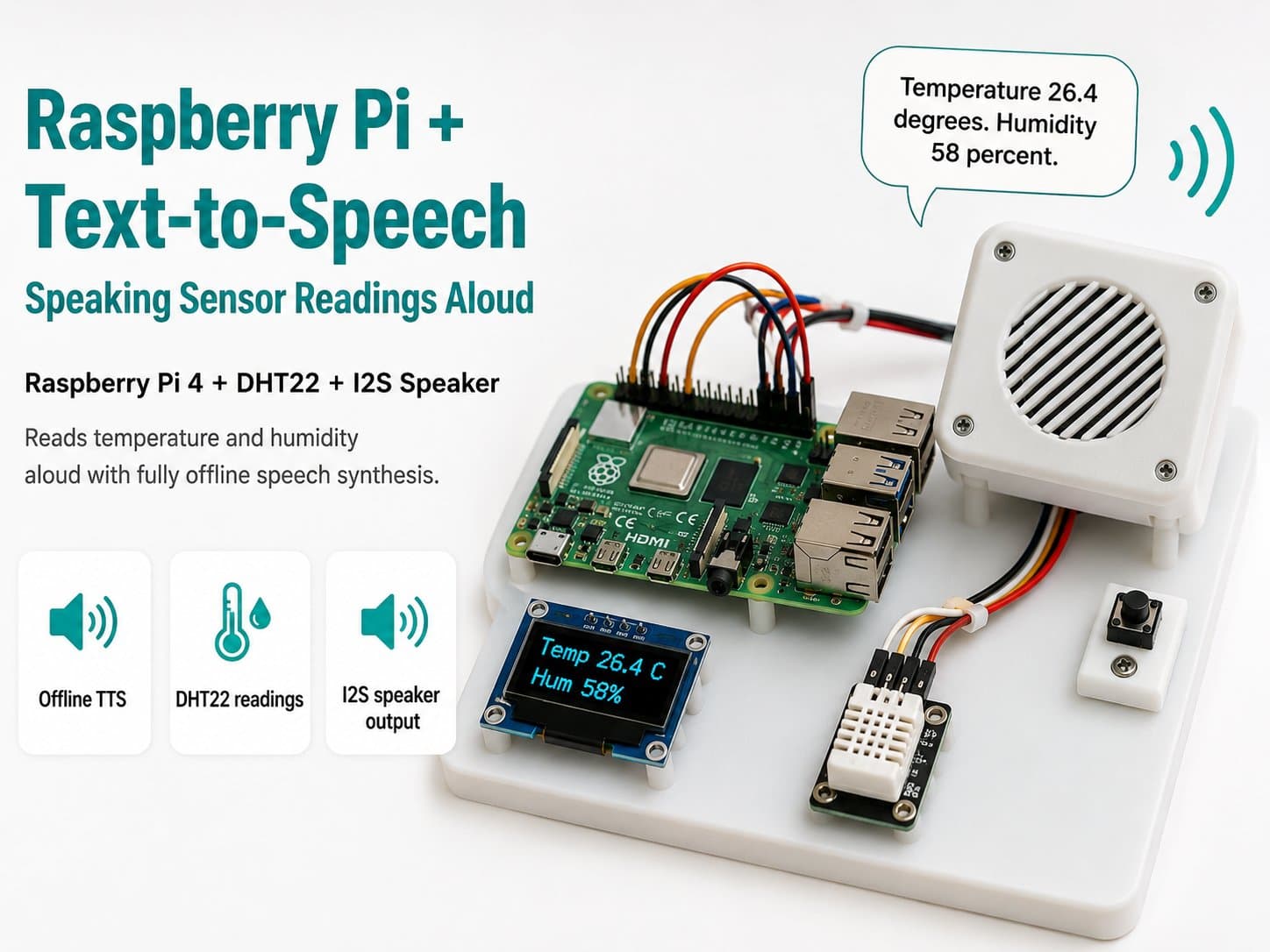
Raspberry Pi + Text-to-Speech: Speaking Sensor Readings Aloud
Read temperature/humidity from a DHT22 sensor and speak it aloud through an I2S speaker on a Raspberry Pi 4, using pyttsx3/espeak-ng for fully offline speech synthesis.
This project builds a voice-announcement (Text-to-Speech) system on a Raspberry Pi 4: periodically reading temperature and humidity from a DHT22 sensor, then speaking them through a speaker as a natural sentence (e.g. "The current temperature is 28 degrees C, humidity 65 percent") instead of just showing numbers on a screen. TTS runs fully offline using the espeak-ng/pyttsx3 engine — no cloud API required.
This is a "mirror image" of the STT lessons elsewhere in this series: instead of speech → text (Whisper, Porcupine), this lesson goes from sensor data → text → speech, completing the two-way interaction loop for a talking IoT device.
Detailed guide
Read temperature/humidity from a DHT22 sensor and speak it aloud offline through an I2S speaker on a Raspberry Pi 4, using pyttsx3/espeak-ng.
1. Introduction
This project builds a voice-announcement (Text-to-Speech) system on a Raspberry Pi 4: periodically reading temperature and humidity from a DHT22 sensor, then speaking them through a speaker as a natural sentence (e.g. "The current temperature is 28 degrees C, humidity 65 percent") instead of just showing numbers on a screen. TTS runs fully offline using the espeak-ng/pyttsx3 engine — no cloud API required.
This is a "mirror image" of the STT lessons elsewhere in this series: instead of speech → text (Whisper, Porcupine), this lesson goes from sensor data → text → speech, completing the two-way interaction loop for a talking IoT device.
2. Components Needed
| Component | Qty | Reference Price |
|---|---|---|
| Raspberry Pi 4 Model B (2GB or more) | 1 | ~1,500,000₫ |
| DHT22 (AM2302) Temperature/Humidity Sensor | 1 | ~65,000₫ |
| I2S Speaker (MAX98357A + 3W speaker)* | 1 | ~120,000₫ |
| 32GB Class 10 MicroSD | 1 | ~120,000₫ |
| 5V/3A USB-C Power Supply | 1 | ~80,000₫ |
* Component substitution note: the IoTLabs Maker hardware_catalog has no speaker/audio-DAC module yet, so this lesson uses a custom "MAX98357A I2S Mono Amplifier + 3W Speaker" module based on the public Adafruit MAX98357A I2S Class-D Amplifier Breakout datasheet — a popular, inexpensive choice for playing audio on a Raspberry Pi over I2S (no separate USB DAC needed).
3. Wiring Diagram
| DHT22 | Raspberry Pi 4 |
|---|---|
| VCC | 3V3 (Pin 1) |
| GND | GND |
| DATA | GPIO4 (Pin 7) |
| I2S Speaker (MAX98357A) | Raspberry Pi 4 |
|---|---|
| VIN | 5V (Pin 2) |
| GND | GND |
| BCLK | GPIO18 / PCM_CLK (Pin 12) |
| LRC | GPIO17 (Pin 11)* |
| DIN | GPIO27 (Pin 13)* |
| SD (enable) | 3V3 (pulled high = amp always on) |
Same note as the other lessons in this series: the Raspberry Pi's standard physical I2S pinout uses GPIO18 (BCLK), GPIO19 (LRCLK), GPIO21 (DOUT).
This diagram uses GPIO17/GPIO27 to illustrate the connection logic. For a real deployment, use the correct standard I2S pins and enable the matching audio driver (e.g. dtoverlay=hifiberry-dac or the driver matching the MAX98357A board) in /boot/config.txt.
The DHT22 should have a 10kΩ pull-up resistor on its DATA pin if the wire run is long or the signal is unstable (per the datasheet's recommendation).
4. Example #1 — Reading the DHT22 Sensor
File read_dht22.py: reads temperature/humidity, retrying on checksum errors (a normal occurrence with cheap 1-Wire-style sensors).
#!/usr/bin/env python3
"""read_dht22.py - Doc nhiet do/do am tu cam bien DHT22 qua GPIO4."""

import time

try:
    import adafruit_dht
    import board

    _DHT_AVAILABLE = True
except (ImportError, NotImplementedError):
    _DHT_AVAILABLE = False

DATA_PIN_NAME = "D4"  # GPIO4


def create_sensor():
    if not _DHT_AVAILABLE:
        return None
    pin = getattr(board, DATA_PIN_NAME)
    return adafruit_dht.DHT22(pin)


def read_once(sensor, retries: int = 3, delay_s: float = 2.0):
    """Doc 1 lan, tra ve (temperature_c, humidity_pct) hoac (None, None) neu loi."""
    for attempt in range(retries):
        try:
            temperature_c = sensor.temperature
            humidity_pct = sensor.humidity
            if temperature_c is not None and humidity_pct is not None:
                return temperature_c, humidity_pct
        except RuntimeError as exc:
            print(f"[Doc loi lan {attempt + 1}/{retries}]: {exc}")
        time.sleep(delay_s)
    return None, None


def main() -> None:
    sensor = create_sensor()
    if sensor is None:
        print("Khong co phan cung DHT22 that (chay tren may dev) - dung du lieu mo phong.")
        temperature_c, humidity_pct = 28.5, 65.0
    else:
        temperature_c, humidity_pct = read_once(sensor)

    if temperature_c is None:
        print("Khong doc duoc cam bien sau nhieu lan thu.")
        return
    print(f"Nhiet do: {temperature_c:.1f} C, Do am: {humidity_pct:.1f} %")


if __name__ == "__main__":
    main()
5. Example #2 — Offline Speech Synthesis (pyttsx3/espeak-ng)
File speak_text.py: converts a Vietnamese text string into speech through the I2S speaker. Requires espeak-ng to be installed at the system level first (sudo apt install espeak-ng).
#!/usr/bin/env python3
"""speak_text.py - Doc van ban tieng Viet thanh giong noi offline bang pyttsx3 (espeak-ng)."""

import pyttsx3

VOICE_RATE = 150  # tu/phut, cham hon mac dinh de de nghe tieng Viet


def create_engine():
    engine = pyttsx3.init()
    engine.setProperty("rate", VOICE_RATE)
    return engine


def speak(text: str, engine=None) -> None:
    own_engine = engine is None
    if engine is None:
        engine = create_engine()
    print(f"[TTS]: {text}")
    engine.say(text)
    engine.runAndWait()
    if own_engine:
        engine.stop()


if __name__ == "__main__":
    speak("Xin chao, day la thong bao thu nghiem tu Raspberry Pi.")
6. Example #3 — The Full Application: Periodic Sensor Readings → Spoken Announcements
File main.py: a loop that reads the DHT22 every 60 seconds, builds a natural sentence, and speaks it through the I2S speaker.
#!/usr/bin/env python3
"""main.py - Tich hop hoan chinh: doc DHT22 dinh ky -> tong hop cau thoai -> phat qua loa I2S."""

import signal
import sys
import time

try:
    import adafruit_dht
    import board

    _DHT_AVAILABLE = True
except (ImportError, NotImplementedError):
    _DHT_AVAILABLE = False

import pyttsx3

DATA_PIN_NAME = "D4"
READ_INTERVAL_S = 60
VOICE_RATE = 150

_running = True


def create_sensor():
    if not _DHT_AVAILABLE:
        return None
    pin = getattr(board, DATA_PIN_NAME)
    return adafruit_dht.DHT22(pin)


def read_once(sensor, retries: int = 3, delay_s: float = 2.0):
    if sensor is None:
        return 28.5, 65.0  # gia tri mo phong khi khong co phan cung that
    for attempt in range(retries):
        try:
            temperature_c = sensor.temperature
            humidity_pct = sensor.humidity
            if temperature_c is not None and humidity_pct is not None:
                return temperature_c, humidity_pct
        except RuntimeError as exc:
            print(f"[Doc loi lan {attempt + 1}/{retries}]: {exc}")
        time.sleep(delay_s)
    return None, None


def build_announcement(temperature_c: float, humidity_pct: float) -> str:
    return (
        f"Nhiet do hien tai la {temperature_c:.0f} do C, "
        f"do am {humidity_pct:.0f} phan tram."
    )


def shutdown(sig, frame):
    global _running
    _running = False


def main() -> None:
    global _running
    signal.signal(signal.SIGINT, shutdown)
    signal.signal(signal.SIGTERM, shutdown)

    sensor = create_sensor()
    engine = pyttsx3.init()
    engine.setProperty("rate", VOICE_RATE)

    print(f"San sang. Doc cam bien moi {READ_INTERVAL_S}s. Ctrl+C de dung.")
    try:
        while _running:
            temperature_c, humidity_pct = read_once(sensor)
            if temperature_c is None:
                print("Khong doc duoc cam bien, bo qua chu ky nay.")
            else:
                text = build_announcement(temperature_c, humidity_pct)
                print(f"[TTS]: {text}")
                engine.say(text)
                engine.runAndWait()

            for _ in range(READ_INTERVAL_S):
                if not _running:
                    break
                time.sleep(1)
    finally:
        engine.stop()
        print("\nDa dung.")


if __name__ == "__main__":
    main()
    sys.exit(0)
7. Common Issues
| Issue | Cause | Fix |
|---|---|---|
RuntimeError: Checksum did not validate | 1-Wire-style signal noise, a wire run that's too long, or reading too fast (the DHT22 needs ≥2s between reads) | Add a delay of at least 2s between reads, use a short wire, add a 10kΩ pull-up resistor on DATA |
| No sound is heard even though the code runs without errors | ALSA hasn't picked up the I2S speaker as the default output | Check aplay -l, configure the correct dtoverlay for the I2S DAC, and set the I2S speaker as default in ~/.asoundrc |
| The spoken voice sounds like English/unfamiliar instead of Vietnamese | espeak-ng is missing the Vietnamese language pack, or pyttsx3 picked the wrong voice | Check espeak-ng --voices=vi, select the correct Vietnamese voice via engine.setProperty('voice', ...) |
ModuleNotFoundError: No module named 'board' | The CircuitPython library wasn't installed correctly for the Raspberry Pi platform | Install via pip install adafruit-circuitpython-dht and pip install RPI.GPIO adafruit-blinka following Adafruit's Raspberry Pi guide |
The program hangs for a long time at engine.runAndWait() | The TTS driver is waiting on an unresponsive audio device (busy or missing) | Recheck the ALSA configuration, test audio playback with speaker-test before running the TTS code |
8. Summary
This project built a complete voice-announcement system: periodic sensor reads, building a natural sentence, and playing it through an I2S speaker — all running offline with no cloud dependency. This "read data → speak it" design pattern applies to any kind of IoT announcement (threshold alerts, device status, a startup greeting) just by changing the build_announcement() function.
A note on accuracy: the temperature/humidity accuracy figures (±0.5°C, ±2-5% RH) come from the DHT22's public datasheet — these are the manufacturer's nominal specs under standard conditions, not measurements verified on your specific board.
Offline TTS voice quality (espeak-ng) isn't as natural as a paid cloud TTS service — a reasonable trade-off for a fully offline solution.