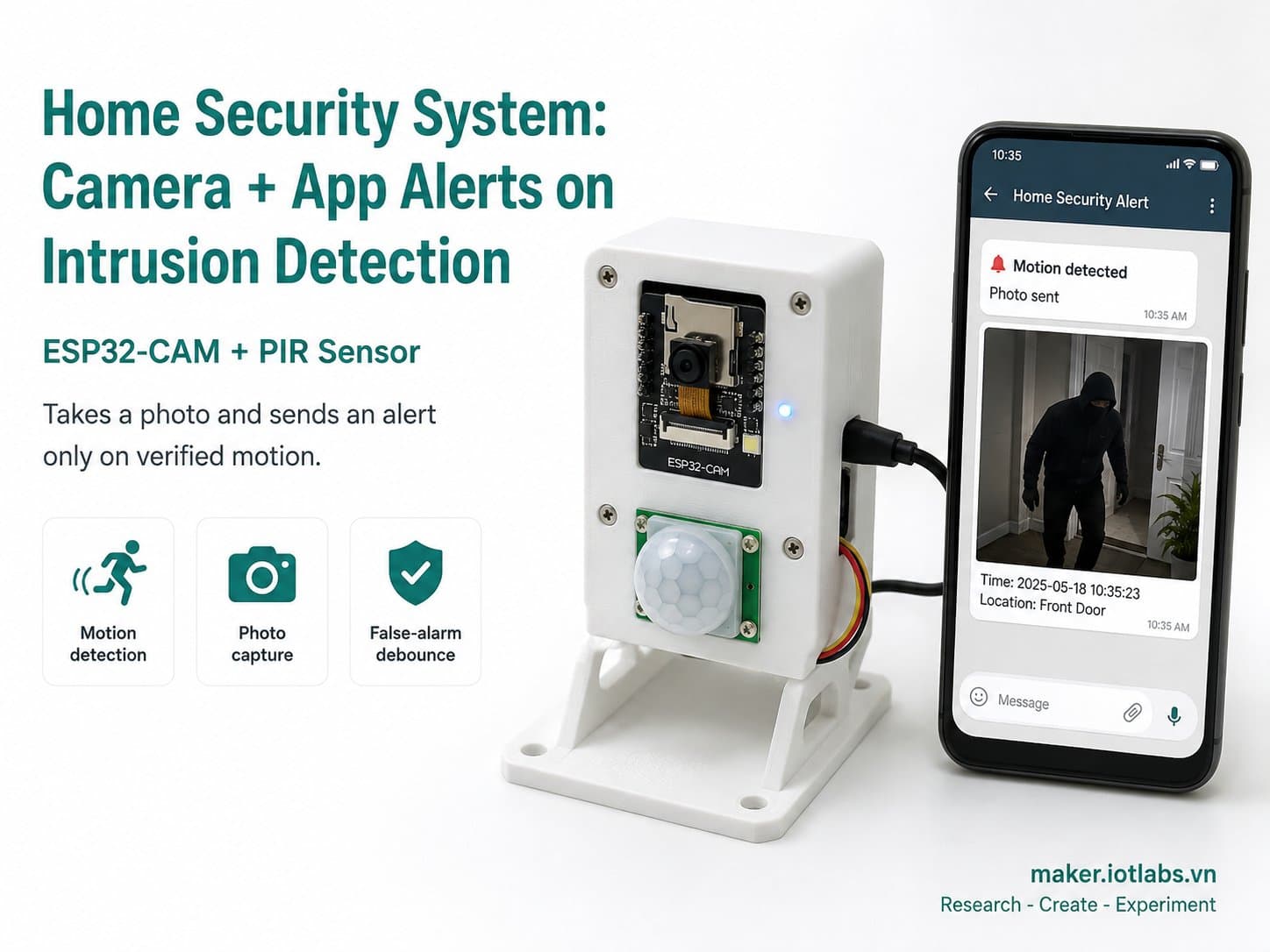
Home Security System: Camera + App Alerts on Intrusion Detection
An ESP32-CAM paired with a PIR sensor: it only takes a photo and fires a webhook/Telegram-style alert when it genuinely detects motion, with debounce logic to prevent false alarms.
A complete "home security" project using an ESP32-CAM with its built-in OV2640 camera, paired with an HC-SR501 PIR motion sensor as the trigger. It only takes a photo and sends an alert when motion is genuinely detected, saving bandwidth and power compared to continuously streaming the camera.
Detailed guide
An ESP32-CAM paired with a PIR sensor takes a photo and sends a webhook/Telegram-style alert only when motion is genuinely detected — full 8-section guide, wiring diagram, and compile-verified code.
1. Introduction
This home security system uses an ESP32-CAM with its built-in OV2640 camera, paired with an HC-SR501 PIR motion sensor as the "trigger" — it only takes a photo and sends an alert when motion is genuinely detected, saving bandwidth and power compared to continuously streaming the camera.
When the PIR detects motion (after debouncing to prevent false alarms), the ESP32-CAM captures a single JPEG frame and sends an alert as an HTTP POST webhook (which you can point at the Telegram Bot API or an internal webhook, depending on your alerting setup).
2. Components Needed
Component | Qty | Notes |
|---|---|---|
ESP32-CAM (AI-Thinker) (board_esp32_cam) | 1 | A board with a built-in OV2640 2MP camera and WiFi — programmed over FTDI/UART |
HC-SR501 — PIR Motion Sensor (mod_hcsr501_pir) | 1 | Triggers a photo capture on motion within a ~110°, 3–7m detection zone |
3. Wiring Diagram
Module pin | ESP32 |
|---|---|
PIR VCC | 5V |
PIR GND | GND |
PIR OUT | GPIO13 |
OV2640 camera | Built into the board, no separate wiring needed |
Built-in flash LED | GPIO4 (used as a local indicator light when an alert fires) |
Note: GPIO13 on the ESP32-CAM overlaps with the SD_D3 pin if you're using an SD card — since this project doesn't use the SD slot, it's safe to reuse for the PIR. The OV2640 camera is soldered directly onto the AI-Thinker board; its pins (XCLK/SIOD/SIOC/Y2-Y9/VSYNC/HREF/PCLK) are handled internally by the esp_camera library and don't appear as separate nodes in the diagram.
4. Example #1 — Reading the PIR Sensor & Debouncing False Alarms
This snippet shows the debounce logic: alerts are allowed no more often than every 15 seconds, preventing spam during continuous motion:
const unsigned long MOTION_DEBOUNCE_MS = 15000; // chong bao gia lien tuc

void loop() {
  int pirState = digitalRead(PIN_PIR_OUT);
  bool motion = (pirState == HIGH);
  unsigned long now = millis();

  if (motion && (now - lastAlertMs >= MOTION_DEBOUNCE_MS)) {
    lastAlertMs = now;
    Serial.println("Phat hien chuyen dong -> gui canh bao.");
    // sendMotionAlert(); see code Example #2
  }
}
5. Example #2 — Capturing a Photo & Sending a Webhook Alert
This function captures a JPEG frame from the camera and sends a JSON payload to the alert webhook (swap in the Telegram Bot API's sendPhoto endpoint or your own internal webhook as needed):
void sendMotionAlert() {
  camera_fb_t *fb = cameraReady ? esp_camera_fb_get() : nullptr;
  size_t photoSize = fb ? fb->len : 0;

  HTTPClient http;
  http.begin(ALERT_WEBHOOK_URL);
  http.addHeader("Content-Type", "application/json");
  char payload[160];
  snprintf(payload, sizeof(payload),
           "{\"event\":\"motion_detected\",\"photoBytes\":%u,\"device\":\"esp32-cam-security\"}",
           (unsigned)photoSize);
  int httpCode = http.POST(payload);
  Serial.printf("HTTP status=%d, photoBytes=%u\n", httpCode, (unsigned)photoSize);
  http.end();

  if (fb) esp_camera_fb_return(fb);
}
6. Example #3 — The Complete Application: PIR Trigger + Camera + Webhook Alert
The full firmware: boots up, initializes the camera with clear error handling (it won't crash if the camera fails — it degrades to logging "camera=null"), reconnects WiFi with a timeout, and logs periodic telemetry:
/*
  He thong an ninh nha cua: camera + canh bao app khi phat hien xam nhap
  Board: ESP32-CAM AI-Thinker (board_esp32_cam)
  - PIR HC-SR501 (mod_hcsr501_pir): OUT -> GPIO13, VCC -> 5V, GND -> GND
  - Camera OV2640 tich hop san tren board ESP32-CAM (khong can catalog node rieng)
  - GPIO4 = flash LED tich hop tren board, dung lam den bao cuc bo khi co canh bao

  Luong: PIR phat hien chuyen dong -> debounce chong bao gia -> chup anh (framebuffer)
  -> gui canh bao (webhook/Telegram-style HTTP POST) kem kich thuoc anh.
  Day la ban rut gon: gui HTTP POST toi webhook URL cau hinh san (co the tro vao
  Telegram Bot API sendPhoto endpoint hoac webhook noi bo tuy nhu cau).
*/

#include "esp_camera.h"
#include <WiFi.h>
#include <HTTPClient.h>

// ==== Cau hinh chan camera AI-Thinker ESP32-CAM (chuan, co dinh theo board) ====
#define PWDN_GPIO_NUM 32
#define RESET_GPIO_NUM -1
#define XCLK_GPIO_NUM 0
#define SIOD_GPIO_NUM 26
#define SIOC_GPIO_NUM 27
#define Y9_GPIO_NUM 35
#define Y8_GPIO_NUM 34
#define Y7_GPIO_NUM 39
#define Y6_GPIO_NUM 36
#define Y5_GPIO_NUM 21
#define Y4_GPIO_NUM 19
#define Y3_GPIO_NUM 18
#define Y2_GPIO_NUM 5
#define VSYNC_GPIO_NUM 25
#define HREF_GPIO_NUM 23
#define PCLK_GPIO_NUM 22

// ==== Cau hinh nguoi dung ====
const char *WIFI_SSID = "YOUR_WIFI_SSID";
const char *WIFI_PASSWORD = "YOUR_WIFI_PASSWORD";
const char *ALERT_WEBHOOK_URL = "https://example.com/api/alert-webhook"; // doi thanh Telegram/webhook that

// ==== Chan ket noi phan cung phu tro ====
const int PIN_PIR_OUT = 13;   // OUT cua HC-SR501 (SD_D3 khi khong dung the SD)
const int PIN_FLASH_LED = 4;  // flash LED tich hop tren board ESP32-CAM

const unsigned long MOTION_DEBOUNCE_MS = 15000;  // chong bao gia lien tuc: toi thieu 15s giua 2 lan canh bao
const unsigned long WIFI_RETRY_INTERVAL_MS = 5000;
const unsigned long WIFI_CONNECT_TIMEOUT_MS = 10000;
const unsigned long TELEMETRY_INTERVAL_MS = 5000;

unsigned long lastWifiAttemptMs = 0;
unsigned long lastAlertMs = 0;
unsigned long lastTelemetryMs = 0;
bool cameraReady = false;

void connectWiFiNonBlocking() {
  if (WiFi.status() == WL_CONNECTED) return;
  unsigned long now = millis();
  if (now - lastWifiAttemptMs < WIFI_RETRY_INTERVAL_MS) return;
  lastWifiAttemptMs = now;

  Serial.printf("[WiFi] Dang ket noi toi SSID \"%s\" ...\n", WIFI_SSID);
  WiFi.mode(WIFI_STA);
  WiFi.begin(WIFI_SSID, WIFI_PASSWORD);

  unsigned long start = millis();
  while (WiFi.status() != WL_CONNECTED && millis() - start < WIFI_CONNECT_TIMEOUT_MS) {
    delay(200);
    Serial.print(".");
  }
  Serial.println();

  if (WiFi.status() == WL_CONNECTED) {
    Serial.printf("[WiFi] Da ket noi. IP: %s\n", WiFi.localIP().toString().c_str());
  } else {
    Serial.println("[WiFi] Ket noi that bai, se thu lai sau.");
  }
}

bool initCamera() {
  camera_config_t config;
  config.ledc_channel = LEDC_CHANNEL_0;
  config.ledc_timer = LEDC_TIMER_0;
  config.pin_d0 = Y2_GPIO_NUM;
  config.pin_d1 = Y3_GPIO_NUM;
  config.pin_d2 = Y4_GPIO_NUM;
  config.pin_d3 = Y5_GPIO_NUM;
  config.pin_d4 = Y6_GPIO_NUM;
  config.pin_d5 = Y7_GPIO_NUM;
  config.pin_d6 = Y8_GPIO_NUM;
  config.pin_d7 = Y9_GPIO_NUM;
  config.pin_xclk = XCLK_GPIO_NUM;
  config.pin_pclk = PCLK_GPIO_NUM;
  config.pin_vsync = VSYNC_GPIO_NUM;
  config.pin_href = HREF_GPIO_NUM;
  config.pin_sscb_sda = SIOD_GPIO_NUM;
  config.pin_sscb_scl = SIOC_GPIO_NUM;
  config.pin_pwdn = PWDN_GPIO_NUM;
  config.pin_reset = RESET_GPIO_NUM;
  config.xclk_freq_hz = 20000000;
  config.pixel_format = PIXFORMAT_JPEG;
  config.frame_size = FRAMESIZE_VGA;
  config.jpeg_quality = 12;
  config.fb_count = 1;

  esp_err_t err = esp_camera_init(&config);
  if (err != ESP_OK) {
    Serial.printf("[Camera] Khoi tao that bai, ma loi 0x%x\n", err);
    return false;
  }
  return true;
}

void sendMotionAlert() {
  if (WiFi.status() != WL_CONNECTED) {
    Serial.println("[Alert] Bo qua gui canh bao - chua co WiFi.");
    return;
  }

  camera_fb_t *fb = nullptr;
  size_t photoSize = 0;
  if (cameraReady) {
    fb = esp_camera_fb_get();
    if (fb) {
      photoSize = fb->len;
    } else {
      Serial.println("[Camera] Chup anh that bai (fb null).");
    }
  }

  HTTPClient http;
  http.begin(ALERT_WEBHOOK_URL);
  http.addHeader("Content-Type", "application/json");
  char payload[160];
  snprintf(payload, sizeof(payload),
           "{\"event\":\"motion_detected\",\"photoBytes\":%u,\"device\":\"esp32-cam-security\"}",
           (unsigned)photoSize);
  int httpCode = http.POST(payload);
  Serial.printf("[Alert] Da gui webhook, HTTP status=%d, photoBytes=%u\n", httpCode, (unsigned)photoSize);
  http.end();

  if (fb) {
    esp_camera_fb_return(fb);
  }

  digitalWrite(PIN_FLASH_LED, HIGH);
  delay(150);
  digitalWrite(PIN_FLASH_LED, LOW);
}

void setup() {
  Serial.begin(115200);
  delay(300);
  Serial.println();
  Serial.println("========================================");
  Serial.println(" IoTLabs Maker - He Thong An Ninh Camera");
  Serial.println(" Board: ESP32-CAM (AI-Thinker)");
  Serial.println("========================================");

  pinMode(PIN_PIR_OUT, INPUT);
  pinMode(PIN_FLASH_LED, OUTPUT);
  digitalWrite(PIN_FLASH_LED, LOW);

  cameraReady = initCamera();
  Serial.printf("[Camera] Trang thai: %s\n", cameraReady ? "san sang" : "loi/khong co");

  connectWiFiNonBlocking();
}

void loop() {
  connectWiFiNonBlocking();

  int pirState = digitalRead(PIN_PIR_OUT);
  bool motion = (pirState == HIGH);
  unsigned long now = millis();

  if (motion && (now - lastAlertMs >= MOTION_DEBOUNCE_MS)) {
    lastAlertMs = now;
    Serial.println("[PIR] Phat hien chuyen dong -> gui canh bao.");
    sendMotionAlert();
  }

  if (now - lastTelemetryMs >= TELEMETRY_INTERVAL_MS) {
    lastTelemetryMs = now;
    Serial.printf("[Telemetry] motion=%s camera=%s wifi=%s\n",
                  motion ? "true" : "false",
                  cameraReady ? "ready" : "null",
                  WiFi.status() == WL_CONNECTED ? "connected" : "disconnected");
  }

  delay(200);
}
7. Common Issues
Issue | Cause | Fix |
|---|---|---|
Serial Monitor prints "[Camera] Khoi tao that bai, ma loi 0x..." (camera init failed) | Wrong camera pin configuration, weak power supply (a low-quality USB cable), or a board that isn't a genuine AI-Thinker | Use the exact AI-Thinker pin configuration in the code, and power it from a stable 5V/2A external adapter rather than a computer's USB port while testing the camera |
PIR keeps triggering alerts even when no one is around | The PIR's sensitivity trimmer is set too high, or it's placed near a heat/airflow source (AC unit, window) | Lower the sensitivity trimmer, avoid pointing the PIR directly at a heat/airflow source, and increase MOTION_DEBOUNCE_MS if it still triggers too often |
Webhook is sent but photoBytes is always 0 | cameraReady is false because camera initialization failed at boot | Check the [Camera] log at boot, and make sure the board has adequate power and is a genuine ESP32-CAM AI-Thinker |
Can't flash firmware over UART | The ESP32-CAM needs GPIO0 tied to GND to enter flashing mode, then disconnected for normal operation | Connect GPIO0 to GND before pressing reset to enter flash mode, then remove the wire and reset again after uploading |
Safety Notes
A camera + PIR intrusion alert needs solid false-alarm prevention to avoid "alert fatigue" — where users start ignoring real alerts because of too many false ones. Always keep a minimum debounce and consider extra conditions (e.g. only alerting during hours when no one's home) before treating the system as ready for real deployment. Keep the PIR pointed away from windows and heat sources to reduce environmental false triggers.
8. Summary
Combining a PIR sensor (cheap, fast-reacting, low-power) as the trigger with an ESP32-CAM that only shoots when needed makes a solid foundation for a DIY home security system.
Possible extensions: save photos to an SD card with timestamps, integrate a real Telegram Bot to receive photos directly on your phone, or add face recognition to tell familiar faces from strangers.