ESP32 MQTT: QoS & Last Will Testament for Safe Disconnect Handling
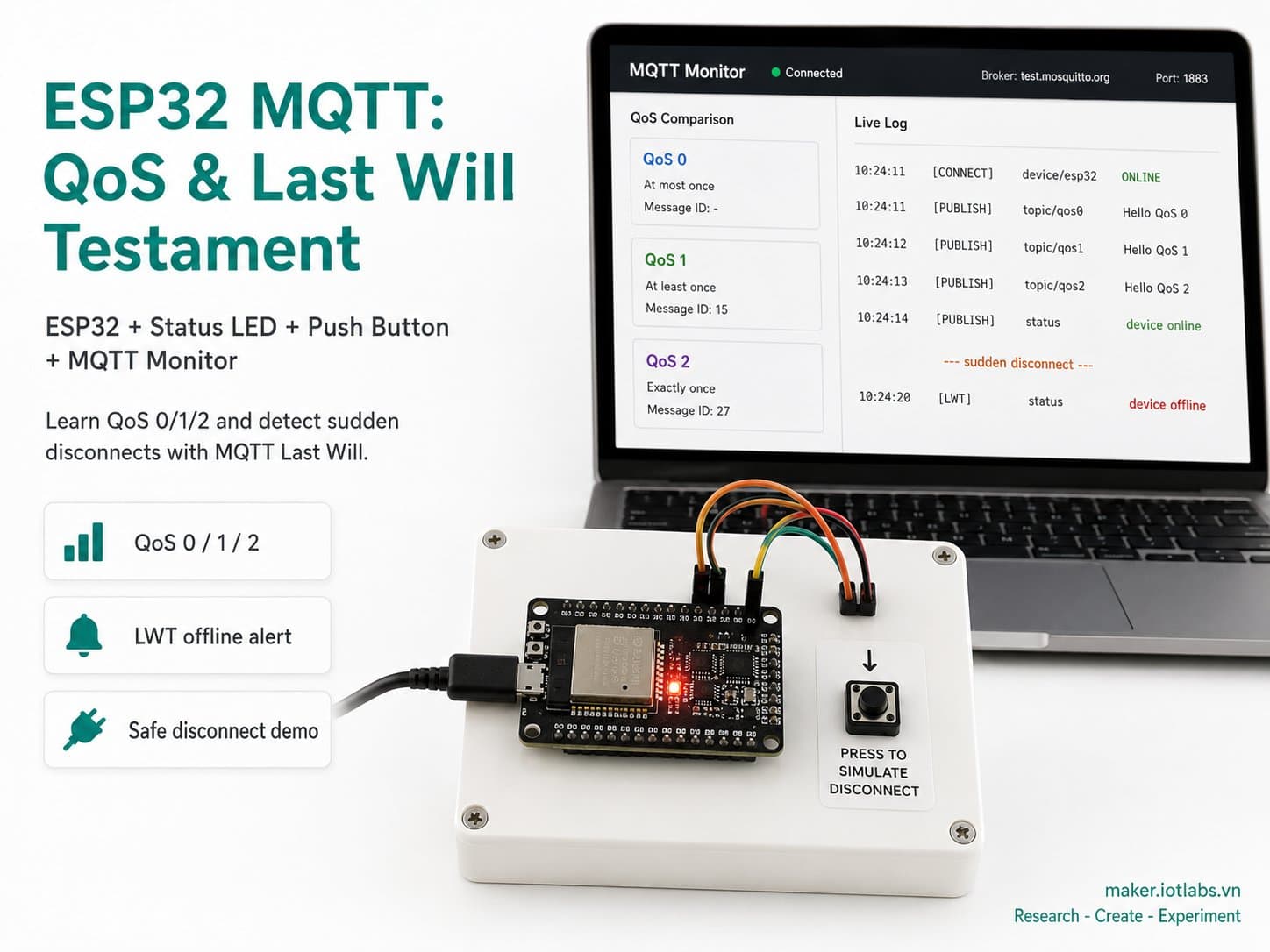
Learn MQTT's three QoS levels (0/1/2) and the Last Will Testament mechanism through a real ESP32 demo: an LED shows connection status, and a button simulates a sudden disconnect so you can watch the broker automatically publish "offline".
QoS (Quality of Service) and Last Will Testament (LWT) are two core mechanisms that make MQTT more reliable than HTTP polling on the unstable networks IoT devices often live on.
This guide clearly explains the three QoS levels (0/1/2), the real-world limitations of the PubSubClient library commonly used on Arduino, and demonstrates LWT with a real ESP32 demo: press a button to simulate the device "dying" suddenly, and watch the broker automatically publish an "offline" status on the device's behalf.
Detailed guide
Learn MQTT's three QoS levels (0/1/2) and the Last Will Testament mechanism through a real ESP32 demo: an LED shows connection status, a button simulates a sudden disconnect.
1. Introduction
QoS (Quality of Service) and Last Will Testament (LWT) are two core mechanisms that make MQTT more reliable than HTTP polling on the unstable networks IoT devices often live on. This guide clearly explains the three QoS levels defined by the MQTT 3.1.1 spec, cross-checks them against the real-world limitations of the PubSubClient library commonly used on Arduino (a lot of tutorials online get this wrong), and demonstrates LWT with a real ESP32 demo: press a button to simulate the device "dying" suddenly, and watch the broker automatically publish an "offline" status on behalf of the now-disconnected device.
The three MQTT QoS levels:
- QoS 0 — At most once: sent once, no acknowledgment, no retry. Fastest, but a packet can get lost. Good for high-frequency data where losing one packet doesn't matter (heartbeats, continuous telemetry).
- QoS 1 — At least once: the broker/client resends until a PUBACK is received. Guaranteed delivery, but duplicates are possible — the application must handle idempotency itself if that matters. Good for control commands and important alerts.
- QoS 2 — Exactly once: a 4-step handshake (PUBLISH→PUBREC→PUBREL→PUBCOMP) guarantees delivery exactly once, with no duplicates. The most bandwidth/latency-expensive — used for financial transactions or commands that must never repeat.
The truth about PubSubClient: this library (the most popular one on Arduino) can only actually publish at QoS 0 — none of its publish() overloads even accept a QoS parameter. It DOES support subscribing at QoS 1 (the broker sends PUBLISH with a packet ID, and the client auto-acknowledges with PUBACK inside loop()), but it does NOT implement QoS 2 (no PUBREC/PUBREL/PUBCOMP state machine). A lot of articles online get this confused. If you need to actually publish at QoS 1/2 from an ESP32, you need a fuller client such as ESP-IDF's esp-mqtt or Paho MQTT-C.
2. Components Needed
| Component | Qty | Notes |
|---|---|---|
| ESP32 DevKit V4 | 1 | The main board |
| LED Module — Single LED | 1 | Shows the current MQTT connection status (lit = connected) |
| Push Button (Tactile Switch) | 1 | Simulates a "sudden device death" event to demo LWT |
3. Wiring Diagram
| Module | ESP32 DevKit V4 |
|---|---|
| LED · VCC | 3V3 |
| LED · GND | GND |
| LED · IN | GPIO17 |
| Push button · A | GPIO16 (INPUT_PULLUP) |
| Push button · B | GND |
The button uses the ESP32's internal INPUT_PULLUP mode, so no external pull-up resistor is needed — pin A reads HIGH when released and LOW when pressed (connected to GND through pin B).
4. Example #1 — ESP32 Firmware: QoS0 Heartbeat, QoS1 Subscribe, LWT, Simulated Crash
The full firmware, compile-verified with arduino-cli compile --fqbn esp32:esp32:esp32 (using the PubSubClient library). Read the code comments carefully — each section spells out the actual QoS behavior, without overstating what the library can do.
/*
  ESP32 MQTT: QoS & Last Will Testament - xu ly mat ket noi an toan
  Board: ESP32 DevKit V4 (board_esp32_devkitc)
  Hardware:
    LED module (mod_led) connection status indicator: VCC -> 3V3, GND -> GND, IN -> GPIO17
    Push button (comp_pushbutton): pin A -> GPIO16 (INPUT_PULLUP), pin B -> GND

  Demonstrates, honestly within the limits of the PubSubClient library:
    - QoS 0 publish: heartbeat topic, fire-and-forget, no delivery guarantee.
    - QoS 1 subscribe: command topic, broker resends until PUBACK is returned;
      PubSubClient's loop() acknowledges QoS1 incoming PUBLISH automatically.
    - QoS 2 (exactly-once): NOT implemented by PubSubClient (no PUBREC/PUBREL/
      PUBCOMP handshake). Explained conceptually only - a real QoS2 demo needs
      a fuller client (e.g. ESP-IDF's esp-mqtt, or Paho MQTT-C). Do not claim
      this sketch performs QoS2; it does not.
    - LWT (Last Will Testament): configured on connect() so the broker
      publishes "offline" (retained) on our behalf if we vanish uncleanly
      (crash, power loss, radio drop) - the button here simulates that by
      forcing an abrupt TCP-level disconnect without a clean MQTT DISCONNECT.
*/

#include <WiFi.h>
#include <PubSubClient.h>

const char *WIFI_SSID = "YOUR_WIFI_SSID";
const char *WIFI_PASSWORD = "YOUR_WIFI_PASSWORD";
const char *MQTT_HOST = "test.mosquitto.org"; // public test broker, reference only
const uint16_t MQTT_PORT = 1883;
const char *MQTT_CLIENT_ID = "esp32_qoslwt01";

const char *TOPIC_HEARTBEAT = "demo/esp32_qoslwt01/heartbeat"; // QoS0
const char *TOPIC_CMD = "demo/esp32_qoslwt01/cmd";             // QoS1 subscribe
const char *TOPIC_STATUS = "demo/esp32_qoslwt01/status";       // LWT topic

const int LED_PIN = 17;
const int BUTTON_PIN = 16;

const unsigned long HEARTBEAT_INTERVAL_MS = 5000;
const unsigned long RECONNECT_INTERVAL_MS = 5000;
const unsigned long WIFI_TIMEOUT_MS = 15000;
const unsigned long BUTTON_DEBOUNCE_MS = 250;

WiFiClient wifiClient;
PubSubClient mqttClient(wifiClient);

unsigned long lastHeartbeat = 0;
unsigned long lastReconnectAttempt = 0;
unsigned long lastButtonEvent = 0;
int lastButtonState = HIGH;

bool connectWifi() {
  if (WiFi.status() == WL_CONNECTED) return true;
  Serial.printf("[wifi] connecting to %s ...\n", WIFI_SSID);
  WiFi.mode(WIFI_STA);
  WiFi.begin(WIFI_SSID, WIFI_PASSWORD);
  unsigned long start = millis();
  while (WiFi.status() != WL_CONNECTED && millis() - start < WIFI_TIMEOUT_MS) {
    delay(300);
    Serial.print(".");
  }
  Serial.println();
  if (WiFi.status() == WL_CONNECTED) {
    Serial.printf("[wifi] connected, IP=%s\n", WiFi.localIP().toString().c_str());
    return true;
  }
  Serial.println("[wifi] connect timeout, will retry in main loop");
  return false;
}

void onMqttMessage(char *topic, byte *payload, unsigned int length) {
  String msg;
  for (unsigned int i = 0; i < length; i++) msg += (char)payload[i];
  // Because TOPIC_CMD was subscribed at QoS1, PubSubClient has already sent
  // the PUBACK for this message by the time this callback runs.
  Serial.printf("[mqtt][qos1 cmd] %s -> %s\n", topic, msg.c_str());
}

bool reconnectMqtt() {
  Serial.print("[mqtt] connecting...");
  bool ok = mqttClient.connect(
      MQTT_CLIENT_ID,
      nullptr, nullptr,
      TOPIC_STATUS, 1, true, "offline" // LWT: QoS1, retained, "offline"
  );
  if (ok) {
    Serial.println(" connected");
    digitalWrite(LED_PIN, HIGH);
    mqttClient.publish(TOPIC_STATUS, "online", true);
    mqttClient.subscribe(TOPIC_CMD, 1); // request QoS1 for incoming commands
  } else {
    Serial.printf(" failed, rc=%d\n", mqttClient.state());
    digitalWrite(LED_PIN, LOW);
  }
  return ok;
}

void publishHeartbeat() {
  // QoS 0: fire-and-forget. If the packet is dropped in transit, nobody
  // resends it - acceptable for a heartbeat where the NEXT beat corrects it.
  char payload[24];
  snprintf(payload, sizeof(payload), "%lu", millis() / 1000);
  mqttClient.publish(TOPIC_HEARTBEAT, payload); // QoS0, not retained
  Serial.printf("[heartbeat][qos0] uptime=%ss\n", payload);
}

void handleButtonSimulateCrash() {
  int state = digitalRead(BUTTON_PIN);
  unsigned long now = millis();
  if (state == LOW && lastButtonState == HIGH && now - lastButtonEvent > BUTTON_DEBOUNCE_MS) {
    lastButtonEvent = now;
    if (mqttClient.connected()) {
      Serial.println("[demo] button pressed -> simulating ungraceful drop (no clean DISCONNECT)");
      // Cutting the underlying TCP socket directly (instead of calling
      // mqttClient.disconnect(), which WOULD send a clean DISCONNECT and
      // suppress the Will) is what makes the broker publish our LWT.
      wifiClient.stop();
      digitalWrite(LED_PIN, LOW);
    }
  }
  lastButtonState = state;
}

void setup() {
  Serial.begin(115200);
  delay(200);
  Serial.println("\n[boot] ESP32 MQTT QoS + LWT demo");

  pinMode(LED_PIN, OUTPUT);
  digitalWrite(LED_PIN, LOW);
  pinMode(BUTTON_PIN, INPUT_PULLUP);

  connectWifi();

  mqttClient.setServer(MQTT_HOST, MQTT_PORT);
  mqttClient.setCallback(onMqttMessage);
  lastReconnectAttempt = 0;
}

void loop() {
  if (WiFi.status() != WL_CONNECTED) {
    connectWifi();
    delay(1000);
    return;
  }

  if (!mqttClient.connected()) {
    unsigned long now = millis();
    if (now - lastReconnectAttempt > RECONNECT_INTERVAL_MS) {
      lastReconnectAttempt = now;
      reconnectMqtt();
    }
  } else {
    mqttClient.loop();
    unsigned long now = millis();
    if (now - lastHeartbeat > HEARTBEAT_INTERVAL_MS) {
      lastHeartbeat = now;
      publishHeartbeat();
    }
    handleButtonSimulateCrash();
  }

  delay(10);
}
5. Example #2 — Observing LWT with Parallel mosquitto_sub Sessions
Open two terminals before pressing the demo button, to clearly see the sequence of events:
# Terminal 1: watch the status topic (LWT will appear here)
mosquitto_sub -h test.mosquitto.org -t "demo/esp32_qoslwt01/status" -v

# Terminal 2: watch the QoS0 heartbeat
mosquitto_sub -h test.mosquitto.org -t "demo/esp32_qoslwt01/heartbeat" -v

# Terminal 3 (optional): send a QoS1 command to the ESP32
mosquitto_pub -h test.mosquitto.org -t "demo/esp32_qoslwt01/cmd" -q 1 -m "PING"
The sequence you'll observe: (1) the ESP32 connects → status="online" appears right away; (2) the heartbeat ticks steadily every 5s; (3) pressing the board's button → the ESP32 abruptly closes the TCP socket WITHOUT sending a clean DISCONNECT; (4) after the broker's keepalive timeout (PubSubClient defaults to 15s), the broker detects the client has "vanished" and publishes the Will Message → Terminal 1 will show status offline even though the ESP32 never sent it itself — that's exactly the value LWT provides.
6. Example #3 — Why QoS 2 Needs a Different Client
If a project genuinely needs real QoS 2 (say, a door-unlock command that must never be sent twice), the correct approach on ESP32 is to use the ESP-IDF esp-mqtt component (not Arduino's PubSubClient):
// Illustrative example (ESP-IDF esp-mqtt), NOT part of this sketch:
esp_mqtt_client_config_t mqtt_cfg = {
    .broker.address.uri = "mqtt://test.mosquitto.org:1883",
};
esp_mqtt_client_handle_t client = esp_mqtt_client_init(&mqtt_cfg);
esp_mqtt_client_start(client);

// esp-mqtt DOES support real qos=2 (with PUBREC/PUBREL/PUBCOMP):
esp_mqtt_client_publish(client, "demo/esp32_qoslwt01/critical", "OPEN_DOOR", 0, 2, 0);
This is purely an API illustration (not part of the main Arduino sketch, and not compiled for this guide) so readers know the right direction when they genuinely need QoS 2 — and don't mistakenly think that changing a number in PubSubClient::subscribe(topic, 2) is enough.
7. Common Issues
| Issue | Cause | Fix |
|---|---|---|
| You thought you were publishing at QoS1/2, but Wireshark shows everything at QoS0 | A mistaken assumption that PubSubClient supports publishing above QoS 0 | Accept the library's limitation, or switch to ESP-IDF's esp-mqtt if you need real QoS publishing |
| LWT never triggers even after unplugging the ESP32 | Keepalive is set too long, or the code calls mqttClient.disconnect() (a clean DISCONNECT) instead of letting the connection drop abruptly | Test by physically unplugging power/network instead of calling disconnect(); lower the keepalive if you need faster detection |
| Subscribed at QoS1 but still seeing duplicate messages | This is expected per spec — QoS1 means "at least once", NOT "exactly once" | Add idempotency handling at the application layer (e.g. an incrementing ID) if duplicates cause problems |
| The button doesn't respond, or takes several presses to register | Missing debounce, or mechanical contact bounce | Already handled via BUTTON_DEBOUNCE_MS in the code; increase the value if the button is lower quality |
8. Summary
QoS and LWT are two different tools solving two different problems: QoS controls the reliability of EACH individual packet (whether it can be lost or duplicated), while LWT solves the "how do we know the device died" problem for when the device itself can no longer report in. This guide also clarifies a commonly overlooked limitation of the PubSubClient library: it can only really publish at QoS 0, can subscribe at QoS 1, and doesn't support QoS 2 at all — essential to know before designing an MQTT system that demands high reliability.
Transparency note: the environment this guide was written in didn't have physical hardware or a real MQTT broker to connect to directly, so the described event sequence (LWT firing after a sudden disconnect) is based on the official MQTT 3.1.1 spec and the documented behavior of PubSubClient/Mosquitto — it hasn't been empirically measured while writing this guide.