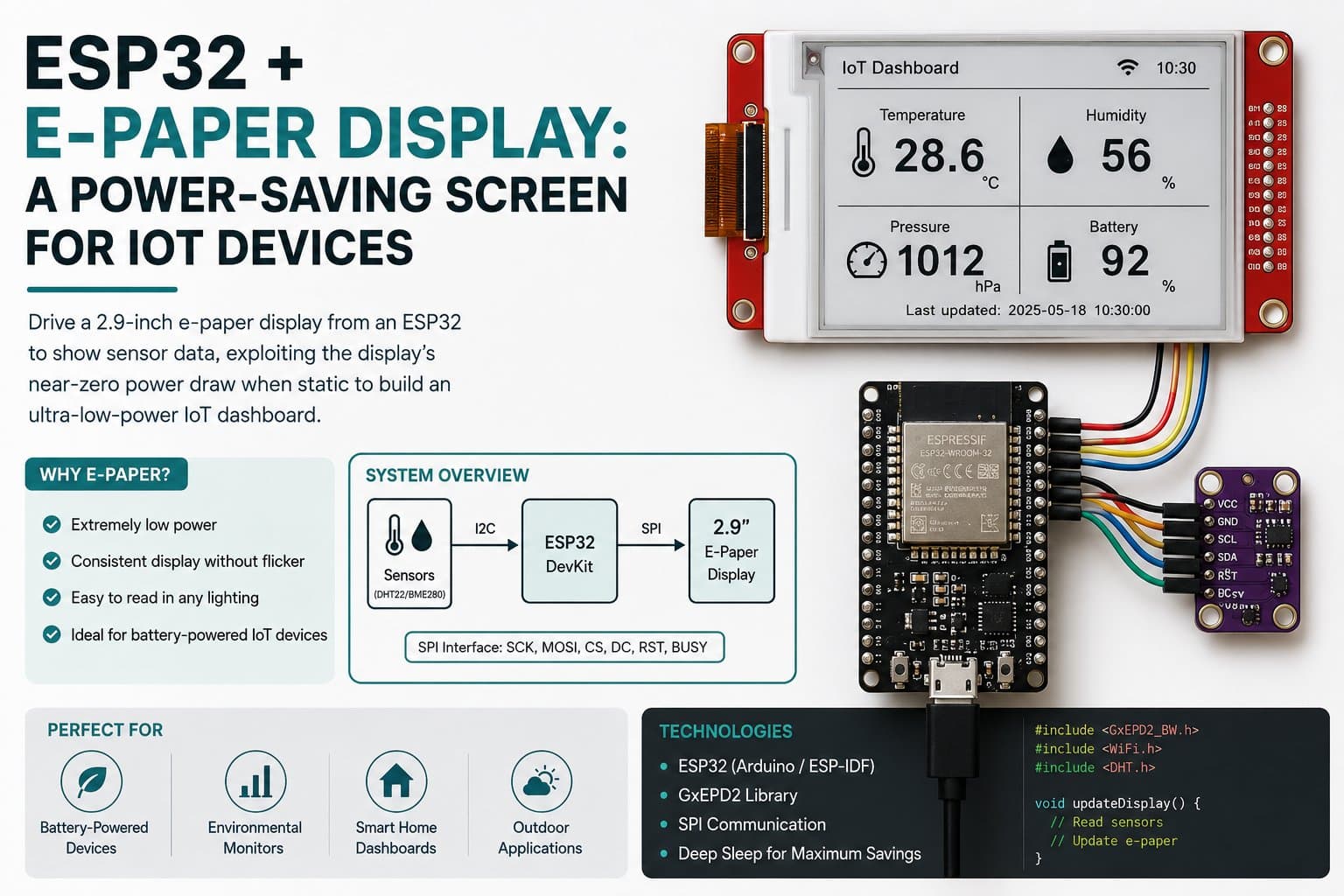
ESP32 + E-Paper Display: A Power-Saving Screen for IoT Devices
Connect an ESP32 DevKit to a 2.13" SSD1680 SPI e-paper (e-ink) display and show periodically updated data using the GxEPD2 library, taking advantage of the display's ability to hold an image indefinitely with no continuous power — ideal for battery-powered IoT devices.
E-paper (e-ink) displays behave completely differently from LCD/OLED: they draw meaningful current only while drawing/updating an image (tens of mA for 1-2 seconds), and then need NO power at all to keep the displayed content — the physical pixels hold their state indefinitely until the next update.
This property makes e-paper an ideal choice for battery-powered IoT devices that display slowly-changing data (electronic price labels, outdoor environmental monitoring stations, notice boards). This article shows how to wire an ESP32 to a 2.13" SPI e-paper display (SSD1680 driver) and write a program that updates periodically using the GxEPD2 library, with an explanation of pairing it with deep sleep to maximize battery life.
Detailed guide
Connect an ESP32 DevKit to a 2.13" SSD1680 SPI e-paper display, updating data periodically with GxEPD2, taking advantage of holding an image with no continuous power.
1. Introduction
E-paper (e-ink) displays behave completely differently from LCD/OLED: they draw meaningful current only while drawing/updating an image (tens of mA for 1-2 seconds), and then need NO power at all to keep the displayed content — the physical pixels hold their state indefinitely until the next update. This property makes e-paper an ideal choice for battery-powered IoT devices that display slowly-changing data (electronic price labels, outdoor environmental monitoring stations, notice boards). This article shows how to wire an ESP32 to a 2.13" SPI e-paper display (SSD1680 driver) and write a program that updates periodically using the GxEPD2 library.
Component note: The 2.13" SPI e-paper module is available in the IoTLabs Workspace with a standard pinout matching common SPI e-paper modules on the market: VCC, GND, DIN, CLK, CS, DC, RST, BUSY.
2. Components Needed
| Component | Qty | Reference Price |
|---|---|---|
| ESP32 DevKit V4 (30/38 pin) | 1 | ~75,000 - 120,000₫ |
| E-Paper 2.13" SPI (SSD1680) | 1 | ~180,000 - 280,000₫ |
| Female-Female Jumper Wires (8 wires) | 1 set | ~15,000₫ |
3. Wiring Diagram
| E-Paper SSD1680 | ESP32 DevKit | Note |
|---|---|---|
| VCC | 3V3 | 3.3V supply |
| GND | GND | Common ground |
| DIN | GPIO23 | SPI MOSI (ESP32 default VSPI) |
| CLK | GPIO18 | SPI SCK |
| CS | GPIO5 | Chip Select |
| DC | GPIO17 | Data/Command |
| RST | GPIO16 | Reset |
| BUSY | GPIO4 | Input pin signaling the module is busy processing an update (wait before sending a new command) |
Voltage safety: every common SPI e-paper module (Waveshare, Good Display) uses 3.3V onboard logic — powering it directly from the ESP32's 3V3 is correct and needs no level shifter.
4. Full Sample Code
The program initializes the e-paper via GxEPD2, draws a status screen (a simulated battery voltage + update count) right at boot, then refreshes it every 60 seconds (shortened for easy observation in this demo — a real deployment should use a few minutes to a few hours).
#include <SPI.h>
#define ENABLE_GxEPD2_display 1
#include <GxEPD2_BW.h>

#define EPD_CS 5
#define EPD_DC 17
#define EPD_RST 16
#define EPD_BUSY 4

GxEPD2_BW<GxEPD2_213_B74, GxEPD2_213_B74::HEIGHT> display(
    GxEPD2_213_B74(EPD_CS, EPD_DC, EPD_RST, EPD_BUSY));

unsigned long lastUpdate = 0;
const unsigned long UPDATE_INTERVAL_MS = 60000; // cap nhat moi 60s (demo); thuc te co the vai phut/gio
bool epdOk = false;
int readingCount = 0;

float readBatteryVoltage() {
  // Demo: gia lap dien ap pin. Thay bang analogRead(ADC_PIN) * he so chia ap thuc te.
  return 3.85f - (float)(readingCount % 10) * 0.01f;
}

void renderStatusScreen(float batteryV, int count) {
  display.setRotation(1);
  display.setFont(nullptr);
  display.setTextColor(GxEPD_BLACK);
  display.firstPage();
  do {
    display.fillScreen(GxEPD_WHITE);
    display.setCursor(5, 15);
    display.print("IoTLabs - E-Paper");
    display.setCursor(5, 35);
    display.print("Power-save Node");
    display.setCursor(5, 60);
    display.print("Battery: ");
    display.print(batteryV, 2);
    display.print("V");
    display.setCursor(5, 80);
    display.print("Update #: ");
    display.print(count);
  } while (display.nextPage());
}

void setup() {
  Serial.begin(115200);
  delay(200);
  Serial.println(F("[BOOT] ESP32 E-Paper power-save demo starting..."));

  display.init(115200, true, 2, false);
  epdOk = true;
  Serial.println(F("[OK] E-Paper SSD1680 khoi tao thanh cong."));

  float v = readBatteryVoltage();
  readingCount++;
  renderStatusScreen(v, readingCount);
  Serial.printf("[DATA] battery=%.2fV update=%d (man hinh giu hinh khong can dien)\n", v, readingCount);
}

void loop() {
  unsigned long now = millis();
  if (now - lastUpdate >= UPDATE_INTERVAL_MS) {
    lastUpdate = now;

    if (epdOk) {
      float v = readBatteryVoltage();
      readingCount++;
      renderStatusScreen(v, readingCount);
      Serial.printf("[DATA] battery=%.2fV update=%d\n", v, readingCount);
    } else {
      Serial.println(F("[WARN] E-Paper khong san sang, chi in Serial."));
    }
    // Trien khai thuc te: goi esp_deep_sleep(UPDATE_INTERVAL_MS * 1000ULL) o day
    // de tat toan bo MCU giua 2 lan cap nhat, chi e-paper "giu" hinh anh.
  }
}
Compile result: Sketch uses 425232 bytes (32%) of program storage space. Global variables use 27708 bytes (8%) of dynamic memory. FQBN: esp32:esp32:esp32.
5. Detailed Code Walkthrough
GxEPD2_BW<GxEPD2_213_B74, ...>— selects the exact driver class matching the module's real size/controller chip (SSD1680, 2.13", 122x250px); GxEPD2 supports dozens of different e-paper types through similar classes.display.firstPage()/nextPage()— GxEPD2's characteristic "paged" drawing model: the whole content is redrawn inside a do-while loop to optimize RAM usage when the framebuffer can't hold the entire screen at once.The
EPD_BUSYpin is automatically read by the library to wait for the module to finish its physical update cycle (typically 1-2 seconds for a full refresh) before allowing the next drawing command.The comment at the end of
loop()suggests usingesp_deep_sleep()— the single most important optimization for a real deployment: the ESP32 shuts down entirely between updates while only the e-paper "remembers" the image, letting a battery-powered device (CR2032/18650) run for months.
6. Real Applications / Extensions
Possible extensions: (1) replace the simulated readBatteryVoltage() with an actual analogRead() through a voltage-divider circuit reading a real battery; (2) add esp_sleep_enable_timer_wakeup() + esp_deep_sleep_start() so the MCU sleeps deeply between updates (dropping current draw from ~80mA down to ~10µA when idle); (3) use display.setPartialWindow() to update part of the screen faster (partial refresh) instead of a full refresh every time.
7. Common Issues
| Issue | Cause | Fix |
|---|---|---|
| The display doesn't seem to change content, just flashes black and white | Normal — this is the characteristic "flash" effect of a full e-paper refresh, clearing ghosting | Not a bug; if you want to avoid the flash, use partial refresh for small updates |
| Compile error "GxEPD2_BW.h: No such file" | The GxEPD2 library isn't installed | arduino-cli lib install "GxEPD2" |
The program hangs at display.init() | Wrong BUSY or RST pin, the module isn't responding | Recheck the 4 control pins (CS/DC/RST/BUSY), make sure the class constructor's parameter order is correct |
8. Summary
E-paper is the most power-efficient display choice for battery-powered IoT devices, thanks to its ability to hold an image with no continuous power.
This article showed how to wire an ESP32 to an SSD1680 SPI e-paper display, along with guidance on pairing it with deep sleep to maximize battery life in a real deployment.